Asana
Productivity & Tools
Keep team tasks connected to owners, deadlines and project discussions.
- 3.9
- Google Play rating snapshot
Official store links A distribution link is not a security certification.
Overview and practical trade-offs
Asana organizes shared work into projects and tasks with owners, dates and supporting discussion. The mobile app is useful for checking assignments, adding updates and keeping a project moving while away from a computer. Comments and attachments stay connected to the task, reducing the need to reconstruct decisions from unrelated message threads.
For a small team, start by agreeing what belongs in a task and who marks it complete. A clear owner and a specific next step are more valuable than a board full of vague headings. Use notifications selectively so important changes are visible without every project update interrupting the day.
Asana fits work that genuinely requires shared responsibility and a visible history. A personal checklist may not need this much structure. Broader portfolio, reporting and planning features depend on the plan and may work best in the web interface. The app supports coordination, but cannot substitute for a team's agreed working process.
Store information checked September 15, 2026. The displayed rating is from Google Play; screenshots are from the official iOS listing, so Android screens may differ. Optional subscriptions and purchases are subject to the provider’s current terms.
Where it can help
- Assignments and discussions remain attached to the work they concern.
- Mobile updates help teams maintain continuity outside the office.
Limitations to consider
- Advanced management features depend on the subscription and interface.
- A team must agree on a consistent task-management process.
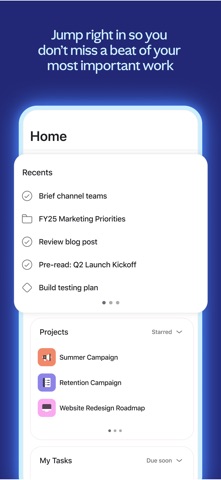
Official store screenshots (3)
Publisher-provided store artwork · iOS. These are not Appadvizr test captures; versions and platforms may differ.


Official sources and installation
Appadvizr links only to official distribution channels. We never host installer files.