Google Photos
Photography
Organize, search and share a growing photo library from your phone.
- 4.4
- Google Play rating snapshot
Official store links A distribution link is not a security certification.
Overview and practical trade-offs
Google Photos combines a gallery, cloud backup and editing tools around a Google account. Search and automatic organization can make a large collection easier to navigate than a long camera roll. Albums and sharing features are useful when several people want access to photographs from the same event without exchanging every file individually.
During setup, review backup quality, mobile-data use and the account receiving uploads. Check the relationship between device copies and cloud copies before using cleanup or deletion controls. Sharing an album also deserves a quick audience check, particularly when it contains children, addresses or private documents.
The app is useful for people who photograph frequently and want access across devices. Cloud capacity is shared with other Google services, while editing capabilities can vary by device, account and availability. Keep separate copies of irreplaceable originals where appropriate, and treat automated grouping as a convenience that may still need correction.
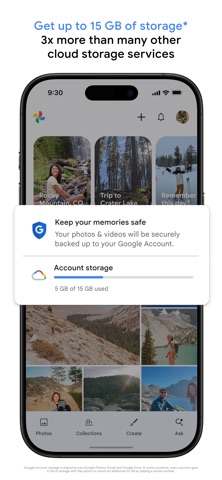
Store information checked September 15, 2026. The displayed rating is from Google Play; screenshots are from the official iOS listing, so Android screens may differ. Optional subscriptions and purchases are subject to the provider’s current terms.
Where it can help
- Search, albums and sharing help make large collections manageable.
- Editing tools sit alongside the backed-up photo library.
Limitations to consider
- Shared cloud storage can fill quickly with video and large image collections.
- Deletion, backup and sharing settings are important to understand first.
Official store screenshots (3)
Publisher-provided store artwork · iOS. These are not Appadvizr test captures; versions and platforms may differ.


Official sources and installation
Appadvizr links only to official distribution channels. We never host installer files.